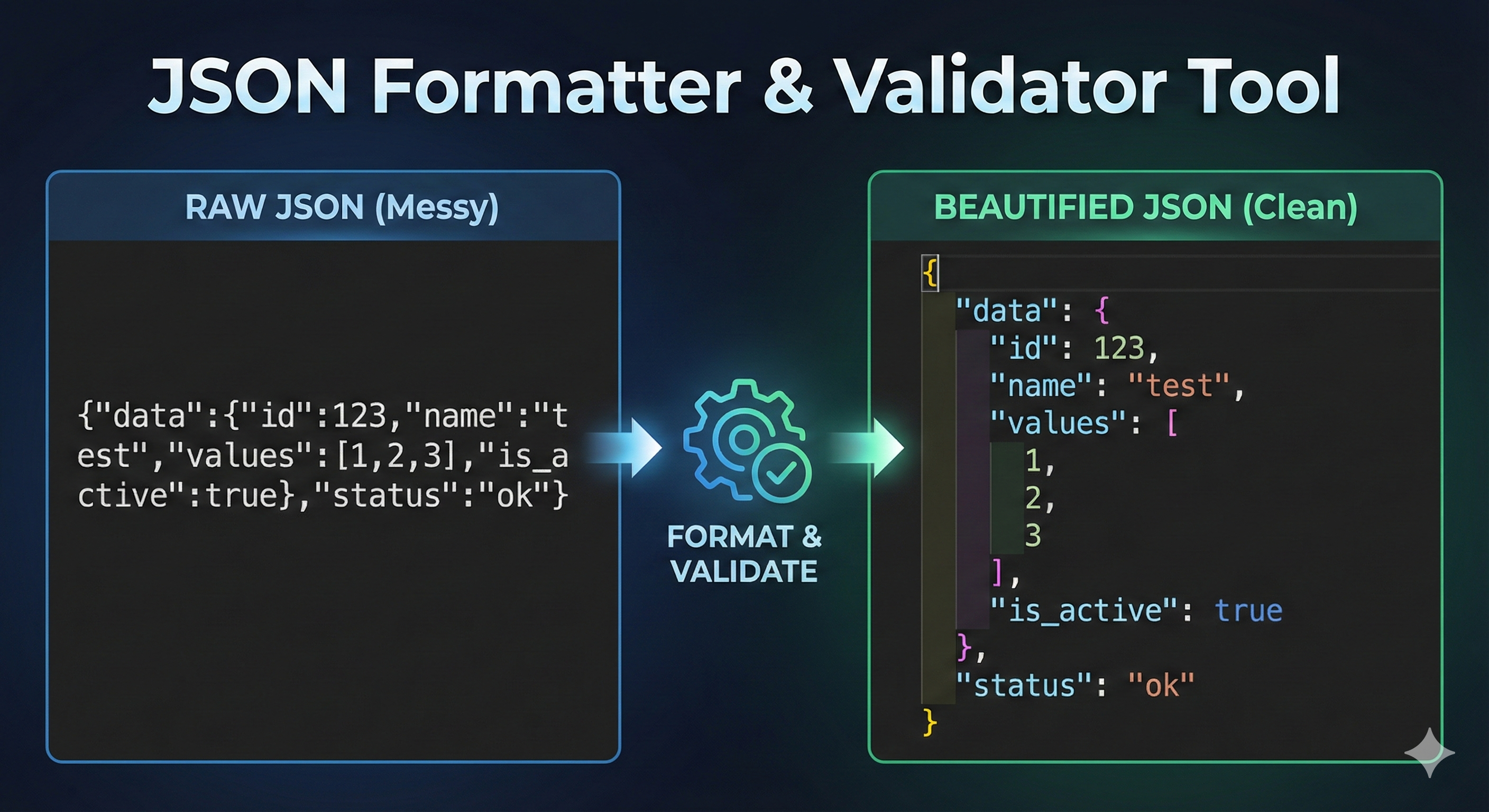
Master JSON data with our ultimate guide and free tool. Format, validate, and debug your code instantly. Learn about JSON syntax, errors, and minification in this comprehensive review.
The Ultimate Guide to JSON: How to Format, Validate, and Debug Data Like a Pro
In the modern world of web development, data is the fuel that powers everything. From the social media feed you scroll through every morning to the banking app you use to transfer money, data is constantly moving between servers and devices. But how does this data move? How do computers speak to each other? The answer, more often than not, is JSON.
If you are a developer, a data analyst, or even a tech-savvy marketer, you have likely encountered files that end in .json or seen curly braces { } filled with text. But raw JSON can be messy, chaotic, and impossible to read. A single missing comma can break an entire application.
This is why tools like the Toolyvo JSON Formatter & Validator are essential. In this comprehensive guide, we will explore everything you need to know about JSON: what it is, why it took over the internet, how to structure it correctly, and how to use our tool to save hours of debugging time.
Chapter 1: What is JSON and Why Does It Matter?
JSON stands for JavaScript Object Notation. It is a lightweight format for storing and transporting data. Ideally, it is self-describing and easy to understand.
When a server sends data to a web page, it cannot send a complex database object directly. It has to convert that data into text. JSON is the standard format for that text.
The History: The Fall of XML and the Rise of JSON In the early 2000s, the web ran on XML (eXtensible Markup Language). XML was powerful but extremely heavy. It looked a lot like HTML, with opening and closing tags for every single piece of data.
- XML Example:
<name>John</name>
This was "verbose," meaning it used a lot of characters to say very little. As mobile devices became popular, developers needed something lighter and faster to save battery and bandwidth.
Enter JSON. It stripped away the heavy tags and focused on the data itself.
- JSON Example:
"name": "John"
It was lighter, faster to parse, and easier for humans to read. Today, JSON is the undisputed king of APIs (Application Programming Interfaces).
Chapter 2: The Structure of JSON
To use a JSON Formatter effectively, you need to understand what you are looking at. JSON is built on two simple structures:
1. Objects (The Curly Braces { }) An object is an unordered collection of key/value pairs. An object begins with a left brace { and ends with a right brace }.
- Each key is followed by a colon
:. - Key/value pairs are separated by a comma
,.
2. Arrays (The Square Brackets [ ]) An array is an ordered list of values. An array begins with a left bracket [ and ends with a right bracket ]. Values are separated by commas.
The Golden Rules of JSON Syntax If you break these rules, your JSON is "Invalid," and our Validator tool will flag an error:
- Data is in name/value pairs.
- Data is separated by commas.
- Curly braces hold objects.
- Square brackets hold arrays.
- Strings must be in double quotes. (This is the #1 mistake developers make!).
Chapter 3: Why Do You Need a JSON Formatter?
You might ask, "If JSON is human-readable, why do I need a tool?"
The answer lies in Minification.
When computers send JSON data, they often remove all whitespace, newlines, and indentation to make the file size smaller. This process is called "minifying." A minified JSON file looks like a giant block of impenetrable text. It is efficient for machines, but a nightmare for humans.
What the Toolyvo JSON Formatter Does:
- Pretty Printing: It takes that messy block of text and adds proper indentation (spacing) and newlines. It turns chaos into a structured tree that you can read instantly.
- Error Highlighting: Trying to find a missing comma in 10,000 lines of code is like looking for a needle in a haystack. Our tool scans the code and points to the exact line number where the error exists.
- Tree View: It allows you to collapse and expand sections (Objects and Arrays), so you can focus only on the data you need.
Chapter 4: Common JSON Data Types
When you are formatting your code, you will see different values. JSON supports specific data types:
- String: Text must be written within double quotes.
- Example:
"name": "Alice" - Number: An integer or a floating-point number.
- Example:
"age": 25or"price": 19.99 - Boolean: True or False values.
- Example:
"isStudent": true - Null: Represents an empty value.
- Example:
"middleName": null - Object: A JSON object inside another JSON object (Nested).
- Array: A list of values.
What is NOT allowed?
- Functions: You cannot put JavaScript functions inside standard JSON.
- Dates: JSON does not have a "Date" type. Dates are usually stored as strings (e.g., "2023-12-01").
- Undefined: You cannot use
undefined.
Chapter 5: How to Debug JSON Errors (Step-by-Step)
Let’s say you paste your code into the validator and it says "Invalid JSON." Don't panic. Here are the most common culprits and how to fix them:
1. The Trailing Comma This is the most common error. In many programming languages, you can leave a comma after the last item in a list. In JSON, this is strictly forbidden.
- Invalid:
{"a": 1, "b": 2,} - Valid:
{"a": 1, "b": 2}
2. Single Quotes JavaScript allows single quotes 'Key': 'Value', but JSON requires double quotes "Key": "Value". If you copy an object directly from your JavaScript code, it might fail validation because of this.
3. Missing Quotes on Keys Every key (the text on the left side of the colon) must be wrapped in quotes.
- Invalid:
{ id: 1 } - Valid:
{ "id": 1 }
4. Special Characters If your string contains special characters like a double quote or a backslash, you must "escape" them using a backslash \.
- Example: To write the text He said "Hello", you must write it as:
"He said \"Hello\""
Chapter 6: JSON in the Real World
Where will you actually use this tool? Here are real-life scenarios:
1. API Integration If you are building a website that fetches weather data, stock prices, or user profiles from a third-party service, the response will be in JSON. You will use the formatter to inspect the structure of this data so you know how to code your application to display it.
2. Configuration Files Many modern software tools use .json files for settings.
- VS Code: Uses
settings.jsonto customize the editor. - NPM (Node Package Manager): Uses
package.jsonto manage project dependencies. - Composer: Uses
composer.jsonfor PHP projects. Before saving these files, run them through our validator to ensure you haven't made a typo that could break your project.
3. Database Exports NoSQL databases like MongoDB store data in a format very similar to JSON (called BSON). When you export data from these databases, it often comes out as JSON. Formatting it allows data analysts to read and understand the records easily.
Chapter 7: JSON vs. Other Formats
JSON vs. XML As mentioned earlier, JSON is less verbose. It is faster to read and write, and its data model maps more directly to the objects used in most programming languages. XML is still used in some enterprise systems (SOAP APIs), but JSON is the standard for REST APIs.
JSON vs. YAML YAML (Yet Another Markup Language) is becoming popular for configuration (like Docker or Kubernetes). YAML is even cleaner than JSON because it doesn't use brackets or quotes; it relies on indentation. However, JSON is safer for data transmission because whitespace in YAML can be tricky and prone to errors during transfer.
JSON vs. CSV CSV (Comma Separated Values) is great for flat tables (like Excel sheets). However, CSV cannot handle complex, nested data (like a user who has multiple addresses). JSON handles hierarchy perfectly.
Chapter 8: Advanced Tips for Using the Toolyvo Formatter
Minifying for Production While you use the "Format" button to make code readable for yourself, you should use the "Minify" button before you send code to a server. Minifying removes spaces and comments, reducing the payload size. This makes your website load faster and saves bandwidth costs.
Privacy and Security One of the best features of the Toolyvo JSON Formatter is that it is a Client-Side Tool. This means the code runs inside your web browser using JavaScript. We do not send your data to our backend servers. This is crucial if you are formatting sensitive data, such as API keys, personal user information, or proprietary business logic. You can use our tool with peace of mind knowing your data stays on your machine.
Conclusion
In the digital age, JSON is the universal language of the web. Whether you are debugging a complex API response, configuring your development environment, or just learning the basics of coding, being able to read and validate JSON is a critical skill.
Raw JSON is messy, but it doesn't have to be a headache. The Toolyvo JSON Formatter & Validator is designed to be your daily companion—turning chaos into clarity with a single click.
Bookmark this page now. The next time you encounter a "Syntax Error" or a wall of unreadable text, you will know exactly where to go to fix it. Happy coding!